You have just paid for a gigabit and your WiFi is no better than it was. In some houses it is noticeably worse. This is one of the most common calls we get, and the reason almost always traces back to a single decision made in the first ten minutes of install day — usually before anyone realised a decision was being made at all.
This is what actually happens when an engineer installs full fibre, what you get to have a say in, and why the box they leave on your wall is where the network's job finishes rather than where your WiFi problem gets solved.
What actually happens on the day
The process is fairly standard whichever network is building in your street. Openreach say a Full Fibre installation "usually takes around four hours", though a second Openreach page gives a range of "between one and four hours, but this depends on the property type and how the fibre is routed". CityFibre say their engineers "will usually complete your full fibre install in 2-3 hours", dropping to one to two hours for a flat.
Openreach set the visit out in seven steps. Two of them are decisions rather than tasks, and those are the two worth quoting exactly:
- You talk through the route. This is a conversation, not a notification — their wording is that the engineer will "chat you through a potential route that the fibre cable will take". This is the step to pay attention to.
- You agree where the hole goes. Again their words: they "agree with you on where a hole should be drilled to bring the fibre optic cable in". Nothing gets drilled until you have said yes to it.
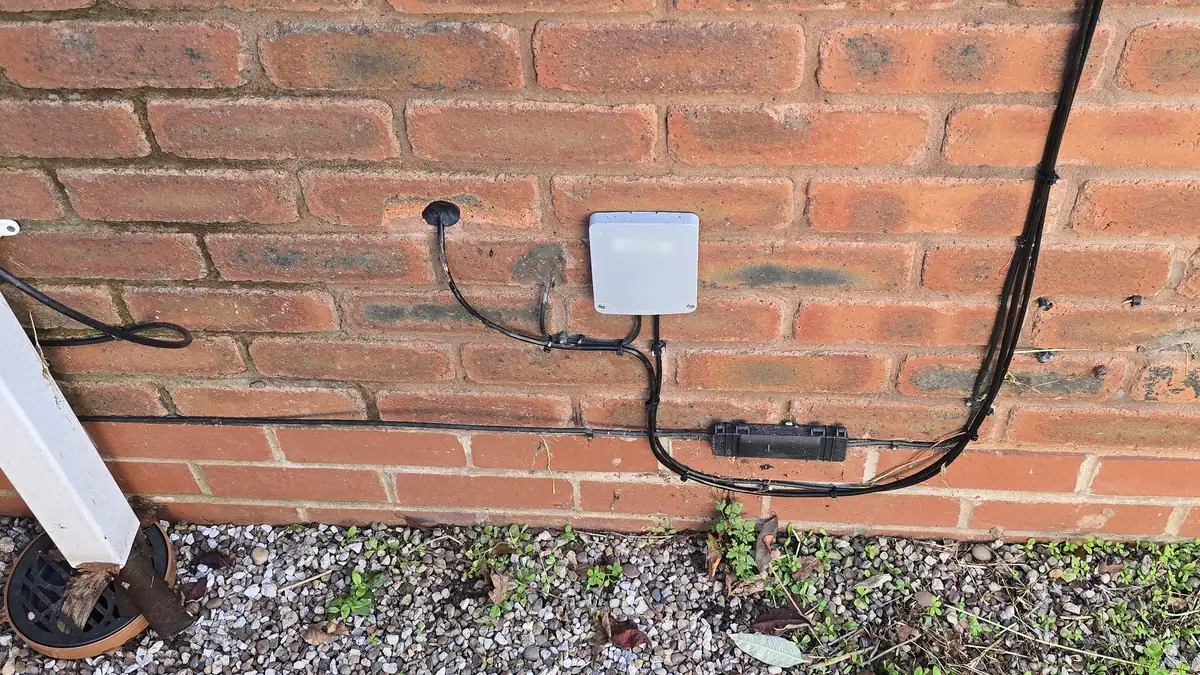
- The fibre arrives at the outside wall, either from a pole or from underground, and ends at a small junction box on the outside of the building.
- A cable comes through the wall from that junction box to wherever the ONT is going.
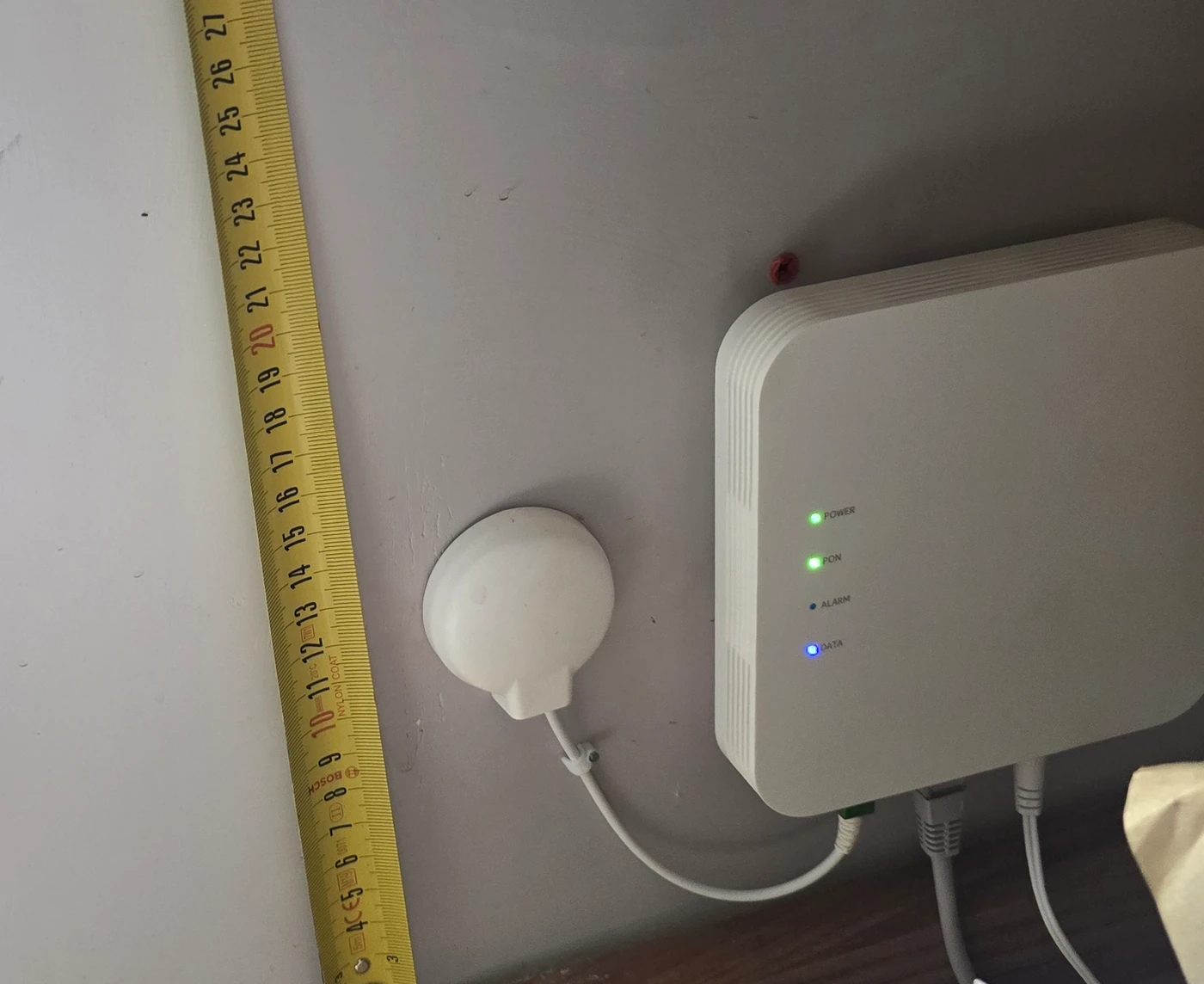
- The ONT goes on the wall inside — the small box that turns fibre into something your router can talk to.
- The router is plugged in and set up, and the engineer gets one of your own devices onto the new connection to prove it.
- The line is tested and the mess cleared up before they leave.
Two practical requirements catch people out. A decision maker over the age of 18 has to be present for the whole visit — you cannot leave a teenager or a neighbour in charge of it. And if you rent, Openreach require that "you have your landlord's permission for any drilling inside or outside". Get that in writing before the day, not on the day.
There is one more constraint that quietly shapes everything else: the ONT and your router have to live together. Openreach's own instruction is that "both should be positioned close together and near the double power sockets you prepared earlier". So the box is not just going wherever the fibre can reach — it is going wherever the fibre can reach and there is mains power. That pair of conditions is what decides where your router ends up, and therefore where your WiFi comes from.
Before the engineer arrives — you have more say than you think
Here is the thing most people do not realise until it is too late, and it is the single most useful thing in this post:
It is your house. Neither Openreach nor CityFibre can do as they like in it. The engineer will tell you how they intend to bring the line in, and if you are not happy with that, or you are simply not sure, they cannot start until you agree. If you would rather it came in somewhere else, you are allowed to say so — and you should.
Most people do not know they have that say. By the time they work it out, there is a box on the wall in the wrong place and a hole through two feet of gritstone to go with it.
A few things that genuinely make the day go better, learned from being on the other side of a lot of these jobs:
- Speak up before they start, not after. Once the hole is drilled, it is drilled. A five-minute conversation on the doorstep is worth more than any amount of discussion afterwards.
- Work out where you actually want the router before the day. Walk the house. Where do you use the internet most? Is there a double socket there? If the answer is "the middle of the house, and yes", say so early — that is the best outcome you can get and it is much easier to ask for before any kit is out of the van.
- Ask well. A route change means extra work for someone on a tight schedule, and you will get a far better outcome asking politely than demanding. That is not a trick, it is just true — these are skilled people working to a fixed appointment slot, and a reasonable request put reasonably tends to get met.
- Take a morning slot if you are offered the choice. A first-of-the-day visit has time in it. The last job before home does not, and late Friday afternoon is the tightest slot of the week. There is simply more room to accommodate something awkward at 9am than at 4pm.
- If your route needs a hoist or a cherry picker, expect a second visit. Engineers arrive sight unseen — they are sent to do a job as it was described on the order, and they cannot carry access equipment for work nobody knew about. That is not obstruction; it is fair. You have asked for something different from what was booked, and it reasonably needs another appointment. A morning slot gives the best chance of equipment being found the same day.
None of this is a criticism of the engineers. They do exactly what they are contracted to do, usually well, and often in bad weather. The problem is not the work — it is that the scope of the work stops in a place most customers have not thought about yet.
The bit nobody tells you: the job ends at the box
You might assume this is Openreach being Openreach. It is not. The clearest statement of it comes from the network with the least commercial reason to limit what it does.
B4RN — Broadband for the Rural North — is a community benefit society that built its own gigabit network across the Dales, Cumbria and Lancashire, much of it dug by volunteer community teams. On where your router ends up, their own FAQ says this:
"Much will be determined by the route by which fibre has entered the property."
And on what happens if you want it somewhere else:
"Any work required to place the router beyond a convenient location (for example, routing white ducting under floors or through a loft) will be down to the property owner."
That is a volunteer-built co-op, owned by the communities it serves, telling you plainly that where the fibre could get in decides where the kit goes — and that anything beyond that is yours to sort out.
To be fair to B4RN, they go further inside the house than the big networks do: they handle the garden dig, the duct from your boundary to the wall and the house kit, and they supply and fit the router themselves. They are the most generous of the three with their scope. And they are still the only one who puts the internal-ducting limit in writing.
The commercial networks land in exactly the same place, just less explicitly:
- Openreach on the ONT: it "belongs to Openreach, not your provider, and not you, and in almost all cases, it should stay exactly where it is". If you have concerns about the position, they tell you to "contact your broadband provider in the first instance" — not Openreach. Telling, too, is what their move-or-remove-equipment process actually covers: telegraph poles, green street cabinets, underground chambers, overhead wires. There is a published route for relocating a pole in your garden and nothing at all about the box in your hall.
- CityFibre call it the connection box, though their own pages also call it the ONT. If you need it moved, they send you to your broadband provider, who "will arrange an appointment for the work" — and note that "in some cases, charges may apply".
So: a state-backed incumbent, a commercial wholesale network and a volunteer community co-op all draw the line in the same place, and all three route a request to move the box back through your internet provider rather than handling it themselves. This is not one company being awkward. It is simply where the job ends — and it ends there by design, because building a national network and wiring the inside of individual houses are two different trades.
Worth knowing which networks are likely to be building near you, in general terms. Across Yorkshire the main players are Openreach and CityFibre, with various smaller altnets in particular towns. In Cumbria and the Lake District it is a different picture: CityFibre is a city-and-town network and does not currently serve Cumbria or the Lakes, while Openreach report substantial full fibre across Cumbria including Keswick and Windermere, and Fibrus is building there under the government's rural programme. In the upper Dales and rural Cumbria, B4RN is genuinely the network in some parishes. Availability moves month to month and it is address-specific, so check each operator's own availability checker for your postcode rather than taking anyone's word for it — including ours.
Why your WiFi can get worse after an upgrade
This is the part that brings people to the phone, and once you have followed the logic above it is obvious.
Your old connection was slower. But the router was probably sat in the lounge, where you had a phone socket, roughly where you used the internet. Now you have full fibre — and the ONT went where the fibre could practically enter the building next to a power socket, which in a lot of houses means a hallway, a porch, a utility room or a cupboard on an outside wall. Your router had to follow it there.
So the line into the house got ten times faster, and the router moved to the worst corner of the building. On a modern estate house you might not notice. In a Yorkshire stone property you will notice immediately: 5GHz barely gets through one stone wall, let alone a wall plus a chimney breast plus a lath-and-plaster ceiling. We have written about why period Yorkshire homes wreck WiFi signals in detail, and full fibre day is one of the most common ways a house that was coping suddenly stops.
The bottleneck did not disappear. It moved. It used to be your broadband line; now it is the fifteen feet of stone between your router and you. And because the line is genuinely fast, every speed test at the router looks perfect — which is why so many people end up arguing with their ISP about a connection that is working exactly as sold.
What actually fixes it
You cannot move the box. Openreach have told you that in writing, and the practical route — asking your provider, possibly paying for it, possibly being refused — is not something to count on. So the fix is to stop trying to move the network's equipment and move yours instead.
There are two honest answers, and often it is both:
Run a cable from the box to where the router should be. The ONT stays exactly where it is, and a single network cable carries the connection to a sensible central position. This is the cleanest fix and it is ordinary work: structured cabling in Cat6a, routed through lofts, existing service voids, or externally in conduit colour-matched to the stone where going through the middle of the building is not an option. Once the router is in the right place, the connection you paid for is actually usable.
Put access points where the coverage needs to be. In a property where one central position cannot cover everything — which is most older houses with thick walls and multiple floors — the answer is a wired access point per floor rather than one router trying to shout through the building. That is what our home WiFi work and mesh and WiFi 6/6E/7 installs are mostly for. The critical word is wired: an access point fed by a cable back toward the box performs; one relying on radio to reach the router inherits the same problem it was meant to solve.
If the fibre itself is the issue rather than the WiFi — a damaged line, an awkward route, or a run that needs installing properly — that is our fibre work, and we splice in-house.
If your fibre is booked, or has just gone in
If you have an install coming up, the useful takeaway is short: think about where you want the router before the day, ask about the route politely and early, and take the morning slot.
And if fibre has already gone in and your WiFi has not improved — or has got worse — that is a solvable problem and a very familiar one. Nothing has been done wrong: the network did its job to the edge of its remit, and the last stretch inside the house is a different trade. Give us a free phone call and describe the house and where the box ended up; we can usually tell you straight away whether it is a cable run, an access point or two, or something simpler. If it needs a proper look, we will arrange a consultation and put a written quote in front of you before any work starts.
You have paid for the gigabit. It is worth actually being able to use it.