Mesh WiFi 6, 6E & 7 — Future‑Proof Installation
Multi‑gig backhaul, seamless roaming, business‑class mesh. We deploy WiFi 6, 6E and 7 systems that don't just blanket the signal — they deliver the speed and stability the latest standards promise.
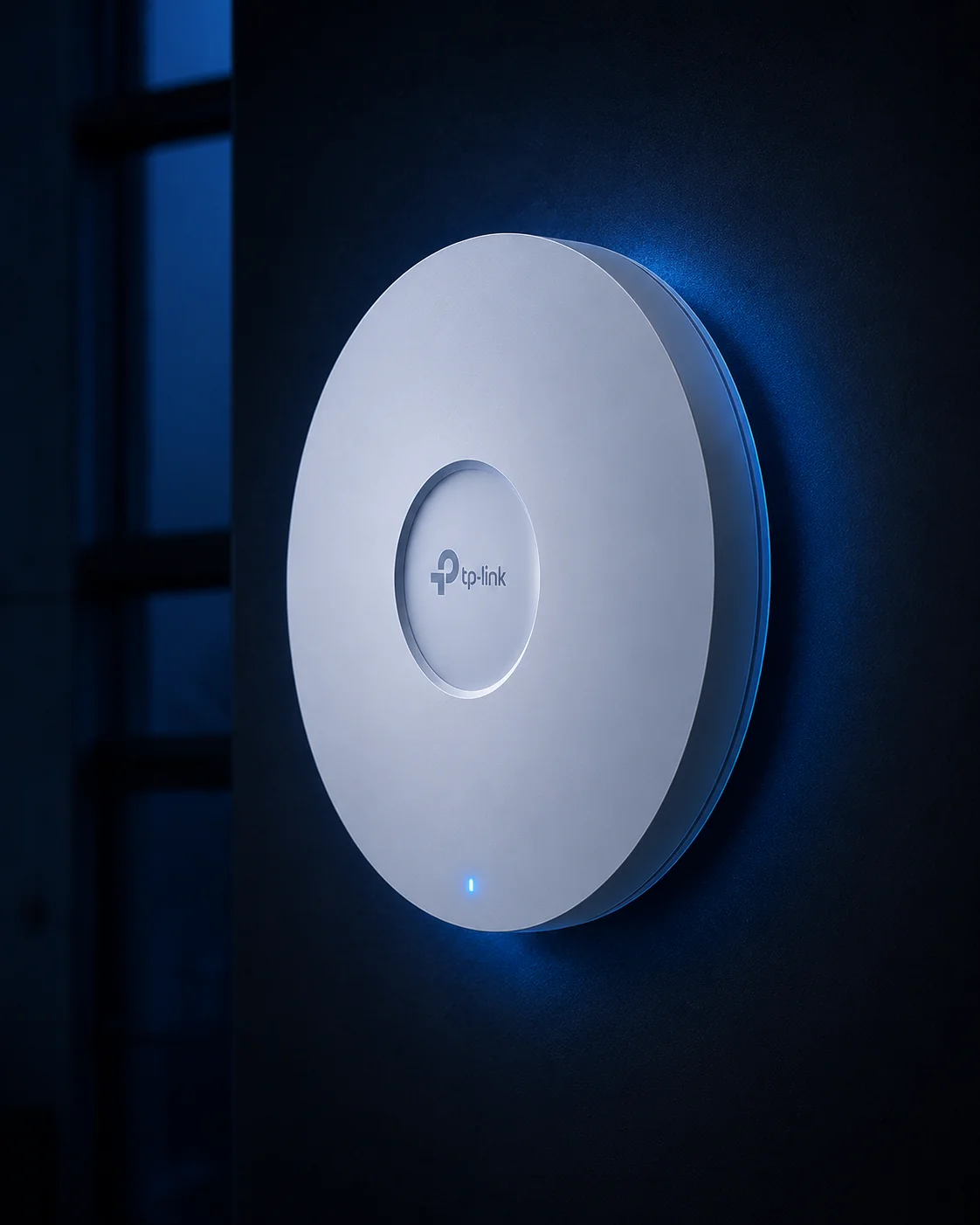
/ When to call us
Is mesh right for you?
- Moving into a new home and want to do WiFi properly from day one
- Your existing mesh feels sluggish — usually because it's using wireless backhaul
- You stream 4K/8K, work from home over VPN, or run smart‑home automations
- You've just upgraded to gigabit (or multi‑gig) broadband and want devices to actually see it
- 30+ connected devices on your network and growing
- Garden office, garage, annexe or outbuilding needs coverage
/ What you get
What's included
- Property consultation — we pick the right system for your building, not the most expensive
- TP‑Link Deco for clean residential installs (HomeShield + parental controls)
- TP‑Link Omada for prosumer / hybrid setups (cloud‑managed, business‑class)
- Hard‑wired backhaul between nodes — this is the secret to fast mesh
- Multi‑gig switching (2.5G uplinks where the broadband supports it)
- WiFi 6E (6GHz) deployment for congested environments
- WiFi 7 (BE) for early adopters and future‑proofing builds
- VLAN separation: main / guest / IoT / work — sensible defaults
- Per‑band SSID strategy, channel planning, transmit power tuning
- Cloud dashboard so you (or we) can see network health remotely
- Network monitoring for Omada controller installs, currently at no extra charge
/ After the install
Your network keeps reporting to us after we leave.
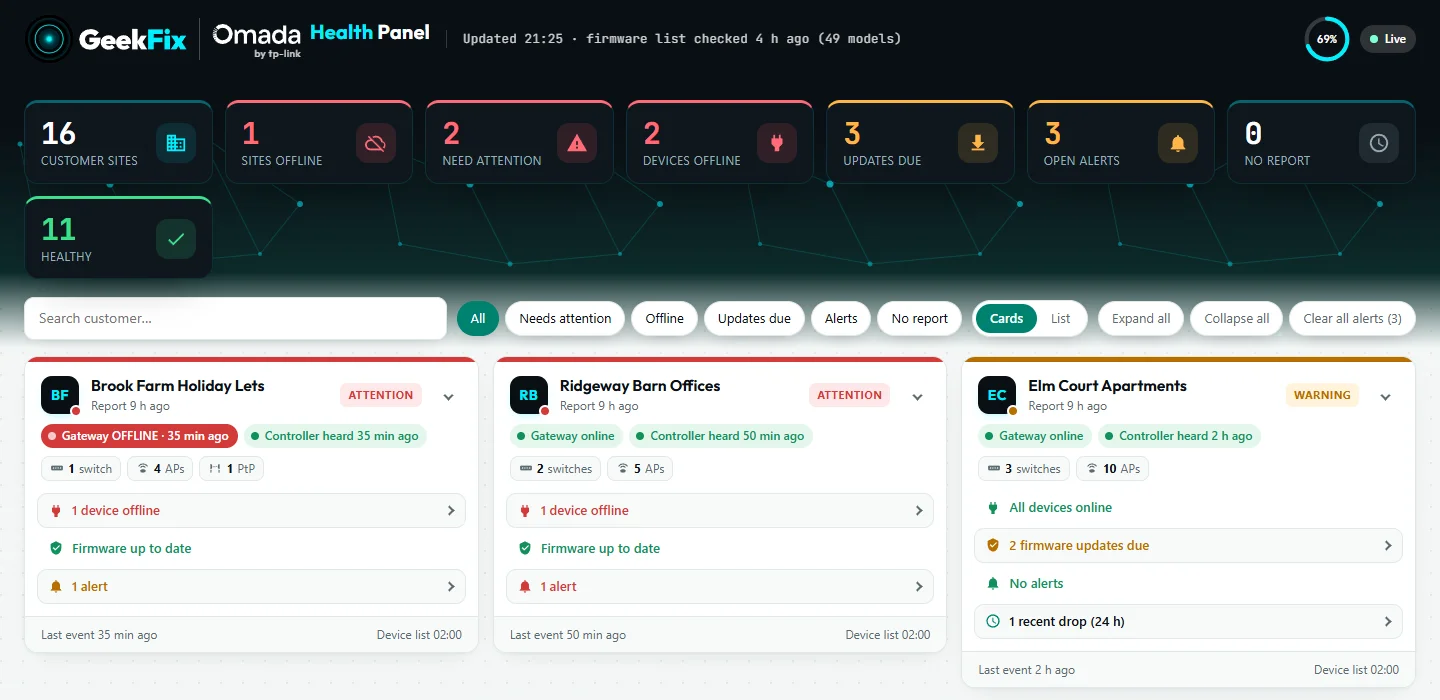
When we install your network with a TP-Link Omada controller, we connect it to the Geek Fix Health Panel, our own monitoring dashboard. Your Omada equipment then reports its status to us automatically: device problems, alerts and configuration changes as they happen, and a full device check every night.
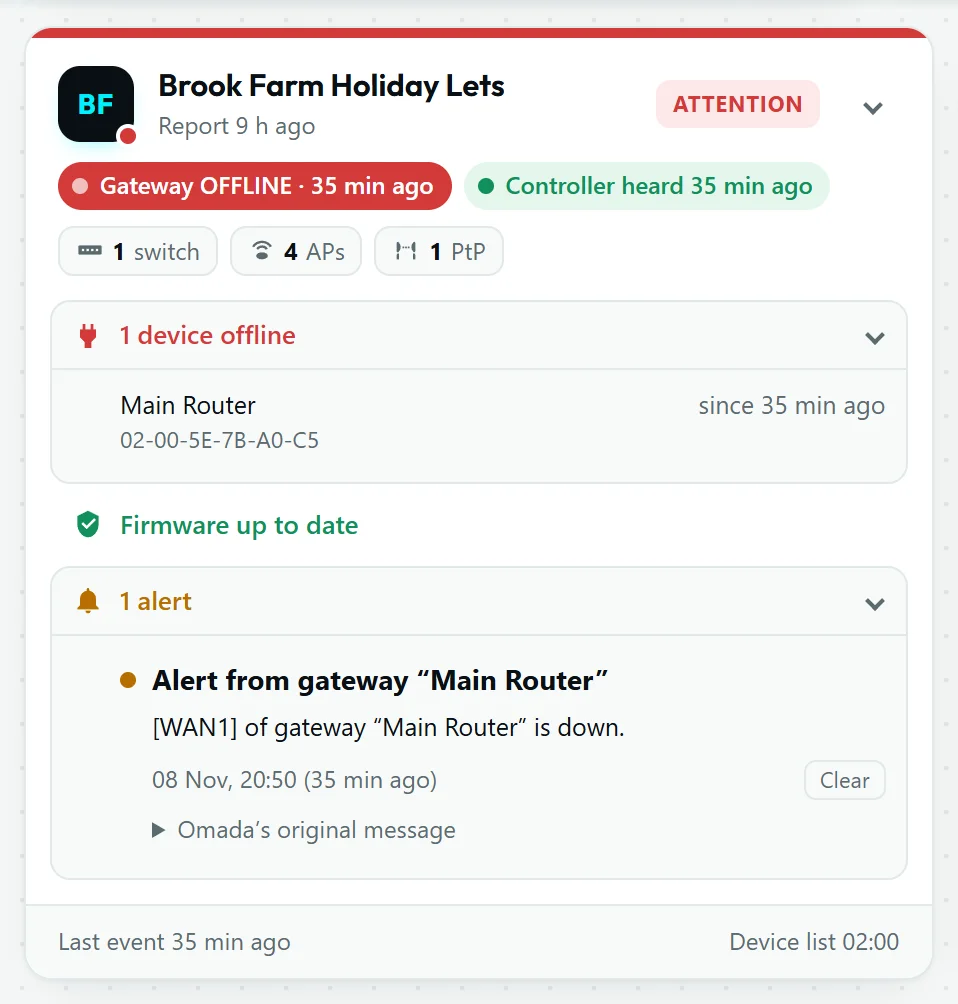
Problems show on that dashboard, which we check. When something drops, we can see which device, since when, and what Omada reported, so the diagnosis starts from facts rather than guesswork.
Currently included at no extra charge on Omada controller installs
Device problems as they happen
An access point, switch or Omada router dropping offline shows on our dashboard as soon as your controller reports it.
Alerts with the detail to act on
Faults such as a broadband link going down, or two devices clashing on one address, arrive with what we need to start diagnosing.
A full check every night
Each night your controller sends us a complete list of its equipment, with model, firmware version, status and uptime.
Configuration changes logged
If a setting on your network changes, we can see what changed and when, so nothing is a mystery when we next look.
Firmware updates flagged
The dashboard also shows us when TP-Link releases a firmware update for your equipment.
Only we can see it
Sign-in to the dashboard is limited to Geek Fix, and the monitoring data is stored encrypted on servers in the EU.
Private by design
Monitoring watches the equipment, not the people using it. It does not record who uses your network or what they do: no browsing, no traffic, no log of devices coming and going. Where a fault involves one of your own devices, such as two devices trying to use the same address, the alert can include that device's hardware address, which we use only to fix the fault. Alerts are deleted automatically after 90 days.
Good to know
- It relies on your site's internet connection. If your broadband or the controller's power goes down, your equipment cannot report until it is back. The broadband itself is your internet provider's responsibility.
- It covers the TP-Link Omada equipment we installed, not your internet provider's router or other equipment.
- It does not send you notifications and comes with no guaranteed response time. Support beyond your warranty is charged at our standard rates.
- You can ask us to stop at any time, and we will delete the monitoring data we hold about your equipment.
/ Our Process
How a typical mesh & wifi 6/6e/7 job runs.
- STEP 01
Discovery
We talk through your property, devices, broadband and goals.
- STEP 02
Consultation & design
Onsite heatmap survey, node placement plan, backhaul plan.
- STEP 03
Quote
Itemised — every node, switch and cable run priced. Valid 7 days.
- STEP 04
Install
Backhaul cabling first, then nodes, then commissioning. 1–2 days.
- STEP 05
Handover
Cloud dashboard access, room‑by‑room speed tests, written sign‑off.
/ Investment
Starting from
Every job is different, so final pricing is confirmed after a site consultation. The figures below are typical starting points to help you plan.
£250 + VAT
per AP location
Mesh access point install at additional location
£140 + VAT
per run
Wired backhaul cable run
Quoted
after site consultation
Full mesh system design (typically 2–4 APs)
/ Real Work
Recent jobs in this area.
/ Questions
Frequently asked.
What's the difference between WiFi 6, 6E and 7?+
WiFi 6 (2019) improved efficiency in busy environments. WiFi 6E (2021) added the clean 6GHz band — fewer neighbours = much less interference. WiFi 7 (2024) is the cutting edge: multi‑link operation, 320MHz channels, and peak speeds well into the multi‑gigabit range. WiFi 6 is the sensible default in 2026; 6E if you have lots of devices; 7 if you're future‑proofing a new build or premium install.
Do I really need wired backhaul?+
If you want the speeds the marketing promises — yes. Wireless backhaul halves the bandwidth available at each hop. A single Cat6a cable run between nodes turns a sluggish mesh into a properly fast one.
Will my old WiFi 5 devices still work?+
Yes. WiFi 6/6E/7 access points are fully backward‑compatible — your older laptop, smart TV or printer continues to work, just on the older band. Newer devices benefit from the upgraded standard.
Is WiFi 7 worth paying extra for?+
If you're building from scratch or refurbishing — yes, do it once and forget about it. If your current system already does what you need on WiFi 6, you can wait another upgrade cycle.
Eero vs Deco vs UniFi vs Omada — which?+
We install TP‑Link Omada (our primary stack — we're a Silver Partner) and Ubiquiti UniFi. Deco for clean residential, Omada for prosumer and business, UniFi where the client already has the ecosystem. We don't install eero — it's locked into Amazon's cloud and limits configurability.
Do you keep an eye on the network after the install?+
If we install your network with a TP‑Link Omada controller, we can connect it to our network monitoring service, currently at no extra charge. Your Omada equipment then reports its status to us automatically: device problems, alerts and configuration changes as they happen, and a full device check every night. Problems show on our monitoring dashboard, which we check. It does not record who uses your network or what they do, and it needs your internet connection to report. The details are in our Terms & Conditions.
/ Areas we cover
Mesh & WiFi 6/6E/7 across North Yorkshire and beyond.
We're based in Knaresborough, so most of our work is close to home:
- Knaresborough(our base)
- Harrogate
- York
- Leeds
- Darley
We also regularly work in Ripon, Skipton, Thirsk, Northallerton and the Lake District. Further afield? Get in touch and we'll tell you straight whether we can help.
/ Explore more
Other services we offer.
/ Get in Touch
Book a consultation or request a quote.
Tell us about the property, the problem or the plan. We’ll come back with a clear scope and a written quote — usually within 24 hours.
Call us
01423 209018
info@geekfix.uk
Service area
Knaresborough · North Yorkshire · Yorkshire & beyond
1‑HOUR CALLBACK
Send this form during working hours and we’ll call you back within 60 minutes.