All services
Residential Service·Yorkshire & beyond

Home WiFi & Dead‑Zone Fixes

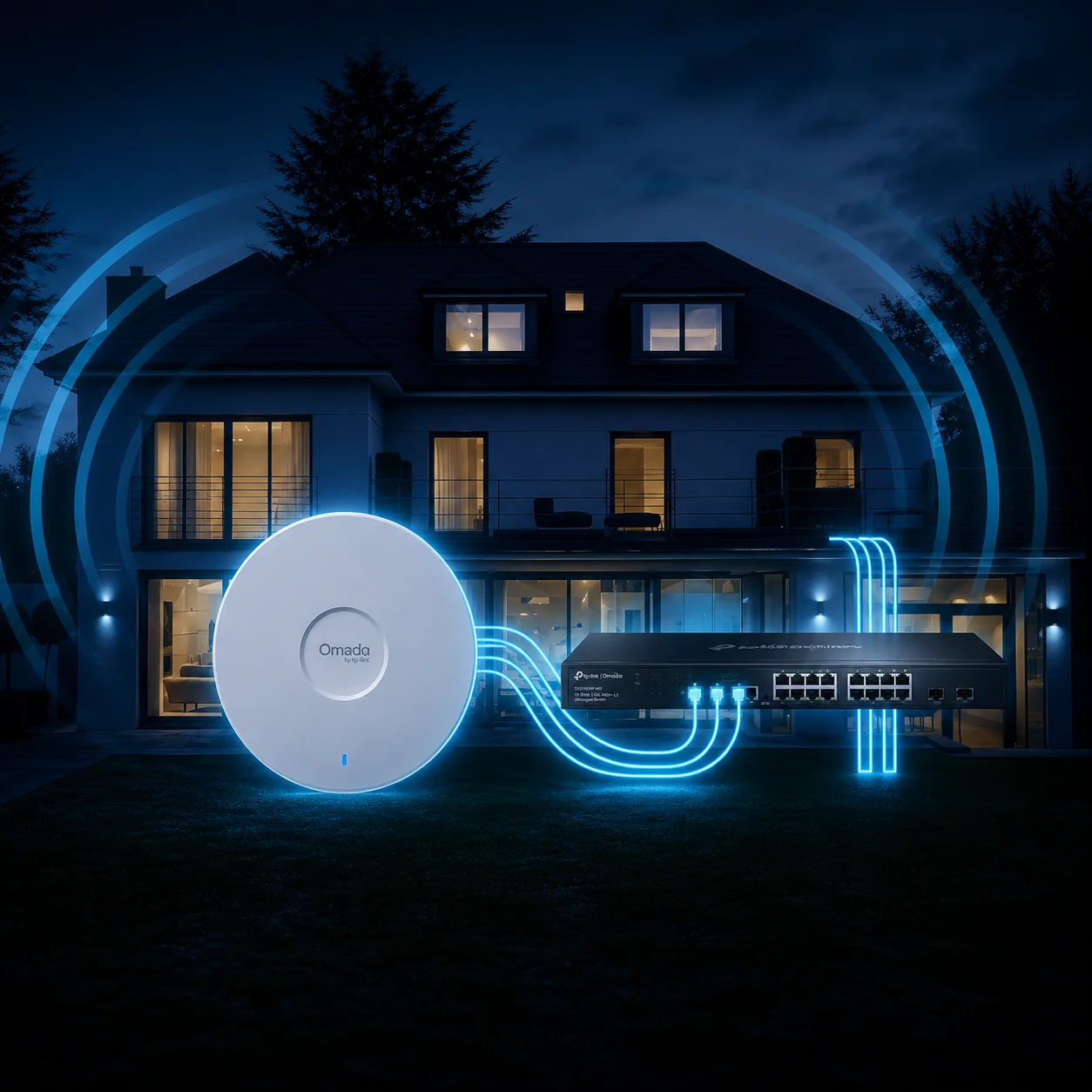
Real WiFi in every room of the house — including the loft, the granny annexe and the garden office. We design, install and tune residential WiFi systems that actually work. No more re‑plugging the router.

Geek Fix install relevant to Home WiFi & Dead‑Zone Fixes

/ When to call us

Signs you need this service

  • WiFi works fine downstairs but drops upstairs (or vice versa)
  • Streaming buffers or video calls freeze in certain rooms
  • Smart‑home devices — Hue, Sonos, Ring, doorbells — keep dropping out
  • Mesh pucks from the high street haven't fixed it
  • Your router lives in a cupboard at the wrong end of the house
  • Three‑storey property, thick walls, steel beams or an old farmhouse

/ What you get

What's included

  • Free initial phone call and postcode check
  • Onsite site survey with WiFi heatmap (professional Ekahau‑grade tools)
  • Honest assessment — reconfigure your existing kit, or upgrade
  • Supply and installation of mesh access points or hard‑wired APs
  • Cabling between locations where needed — tidy and concealed, grade agreed with you
  • One SSID across the whole house with seamless roaming
  • Guest WiFi for visitors, separate VLAN for smart‑home / IoT
  • Band steering, channel optimisation, transmit‑power tuning
  • Speed‑tested in every room before sign‑off
  • 12‑month workmanship warranty + remote aftercare
  • Network monitoring for Omada controller installs, currently at no extra charge

/ After the install

Your network keeps reporting to us after we leave.

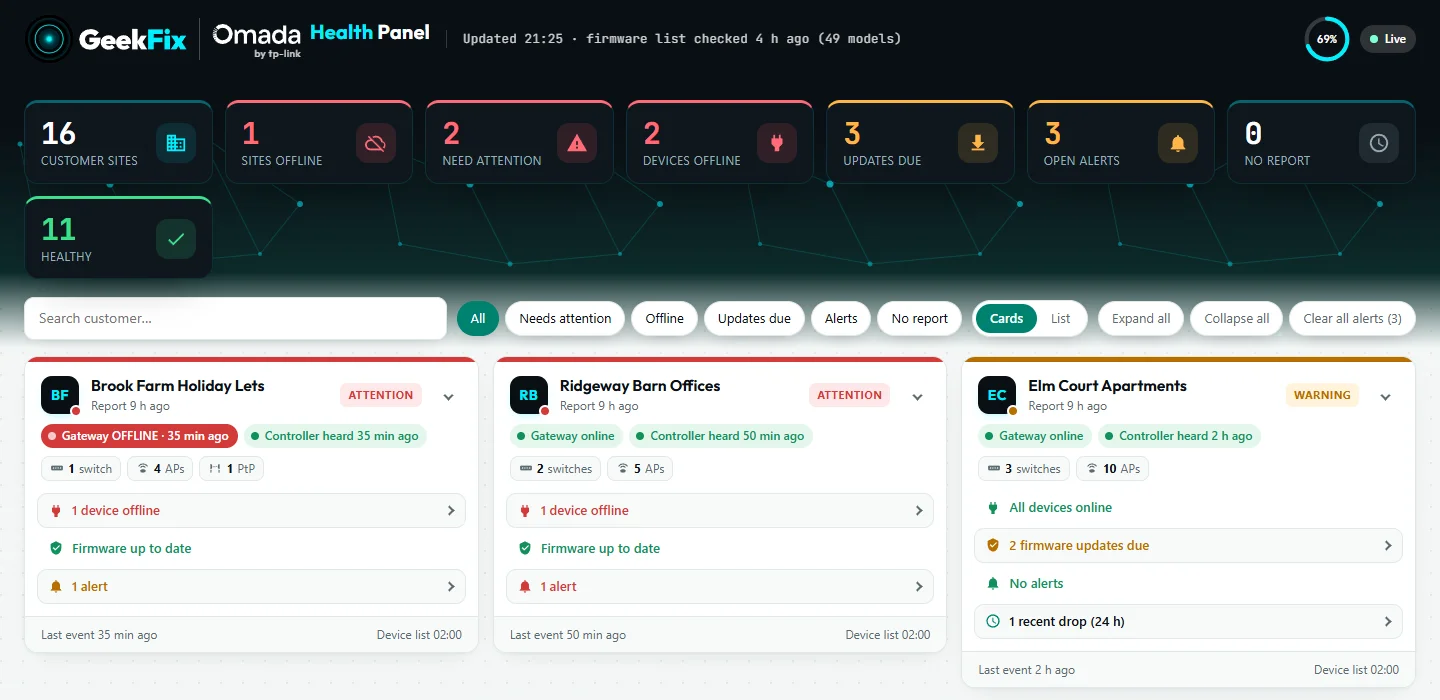
When we install your network with a TP-Link Omada controller, we connect it to the Geek Fix Health Panel, our own monitoring dashboard. Your Omada equipment then reports its status to us automatically: device problems, alerts and configuration changes as they happen, and a full device check every night.

Problems show on that dashboard, which we check. When something drops, we can see which device, since when, and what Omada reported, so the diagnosis starts from facts rather than guesswork.

Currently included at no extra charge on Omada controller installs

The Geek Fix Health Panel dashboard with demonstration data: summary tiles for sites offline, devices offline, updates due and open alerts, above cards for three example customer sites
Our monitoring dashboard, shown with demonstration data. Customer names and device details are illustrative.
  • Device problems as they happen

    An access point, switch or Omada router dropping offline shows on our dashboard as soon as your controller reports it.

  • Alerts with the detail to act on

    Faults such as a broadband link going down, or two devices clashing on one address, arrive with what we need to start diagnosing.

  • A full check every night

    Each night your controller sends us a complete list of its equipment, with model, firmware version, status and uptime.

  • Configuration changes logged

    If a setting on your network changes, we can see what changed and when, so nothing is a mystery when we next look.

  • Firmware updates flagged

    The dashboard also shows us when TP-Link releases a firmware update for your equipment.

  • Only we can see it

    Sign-in to the dashboard is limited to Geek Fix, and the monitoring data is stored encrypted on servers in the EU.

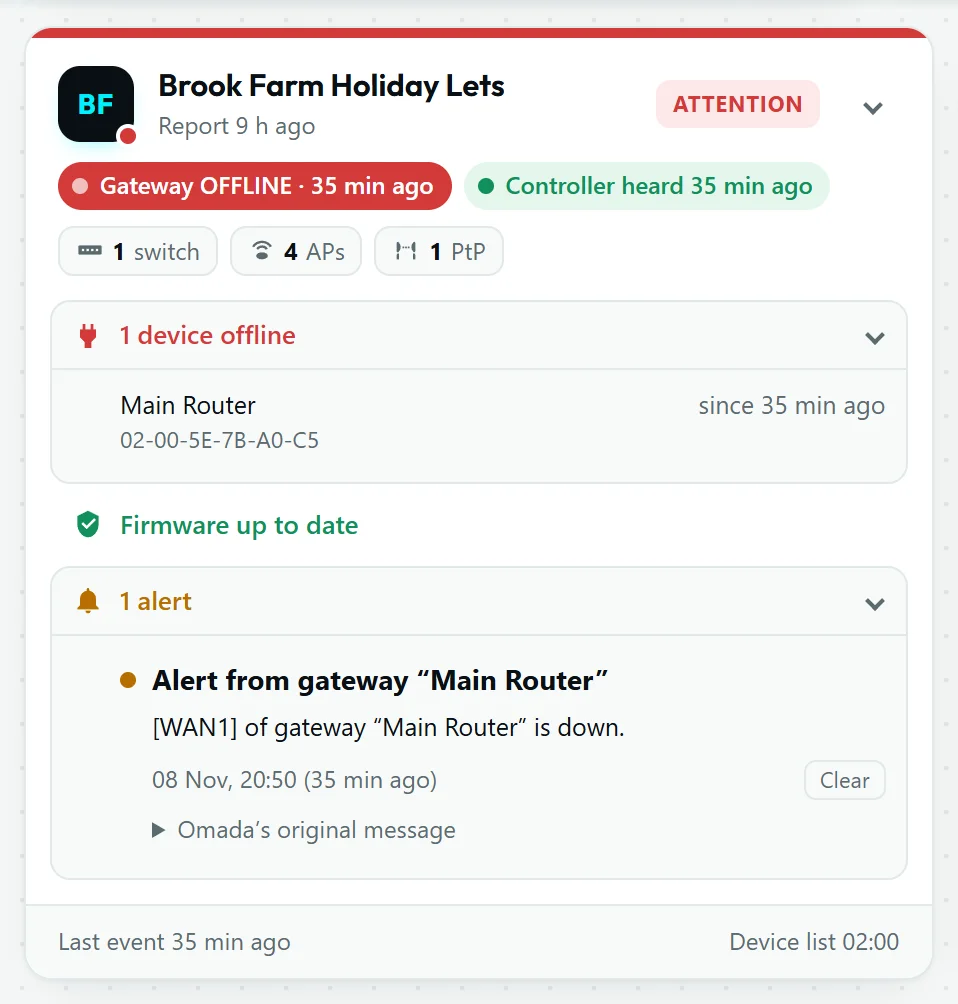
One example site card from the dashboard, with demonstration data: the router is offline, and the alert below it reports that the broadband link went down 35 minutes earlier
One site opened up: which device dropped, when, and what Omada reported. Demonstration data.

Private by design

Monitoring watches the equipment, not the people using it. It does not record who uses your network or what they do: no browsing, no traffic, no log of devices coming and going. Where a fault involves one of your own devices, such as two devices trying to use the same address, the alert can include that device's hardware address, which we use only to fix the fault. Alerts are deleted automatically after 90 days.

Good to know

  • It relies on your site's internet connection. If your broadband or the controller's power goes down, your equipment cannot report until it is back. The broadband itself is your internet provider's responsibility.
  • It covers the TP-Link Omada equipment we installed, not your internet provider's router or other equipment.
  • It does not send you notifications and comes with no guaranteed response time. Support beyond your warranty is charged at our standard rates.
  • You can ask us to stop at any time, and we will delete the monitoring data we hold about your equipment.

/ Our Process

How a typical home wifi job runs.

  1. STEP 01

    Brief

    Tell us the problem rooms and your postcode.

  2. STEP 02

    Consultation

    Onsite heatmap survey or, for simple jobs, a remote scope.

  3. STEP 03

    Quote

    Written quote with hardware listed line by line. Valid 7 days.

  4. STEP 04

    Install

    Usually one day, occasionally half a day. Tidy cabling, neat finish.

  5. STEP 05

    Sign‑off

    Room‑by‑room speed test. You sign off only when you're happy.

/ Investment

Starting from

Every job is different, so final pricing is confirmed after a site consultation. The figures below are typical starting points to help you plan.

From

£250 + VAT

per AP location

Adding a hard‑wired access point to extend coverage

From

£140 + VAT

per run

A single network cable run between two rooms

Quoted

after site consultation

Full home WiFi system design & install

/ Recent jobs

Real work, close to home.

Leeds

Garden office WiFi in Leeds with a wireless bridge

The new garden office was too far from the house for the home WiFi to reach. We fitted a TP-Link Omada wireless bridge: a transmitter on the main house and a receiver on the garden office, with an access point inside the office, all powered over the network cable.

Thirsk

Garden office WiFi in Thirsk, kit in a wooden cabinet

Garden office WiFi brought out from the house with a wireless bridge, the kit housed in a wooden cabinet, with an access point inside the office.

/ Questions

Frequently asked.

Won't a mesh kit from Currys do?+

Sometimes — but only if it's placed properly and uses wired backhaul. Most off‑the‑shelf mesh kits use wireless backhaul, which halves your speed at each hop. We'll tell you honestly whether a high‑street kit will work, or whether you actually need business‑class TP‑Link Omada or Deco gear.

Will you drill into my walls?+

Only with your express permission, and always in the neatest way possible. Where drilling isn't acceptable we'll use paintable surface trunking, neatly run, or run cables through lofts, voids and skirting routes.

What's the difference between WiFi 6, 6E and 7?+

WiFi 6 (2019) brings better performance in busy homes. WiFi 6E (2021) adds a clean 6GHz band, brilliant for households with lots of devices. WiFi 7 (2024) is the future‑proof choice — much higher peak speeds and multi‑link operation. We'll recommend based on your devices and budget.

Do I have to throw away my existing router?+

Not necessarily. If your ISP router is decent we'll keep it doing the routing job and add proper access points for the WiFi. Saves you money and keeps the broadband side simple.

How long does a typical home install take?+

A 3‑bed semi with a single extra access point is half a day. A 5‑bed detached with three APs, garden office and full SSID rebuild is one day. Anything bigger we'll scope on the consultation.

Do you keep an eye on the network after the install?+

If we install your network with a TP‑Link Omada controller, we can connect it to our network monitoring service, currently at no extra charge. Your Omada equipment then reports its status to us automatically: device problems, alerts and configuration changes as they happen, and a full device check every night. Problems show on our monitoring dashboard, which we check. It does not record who uses your network or what they do, and it needs your internet connection to report. The details are in our Terms & Conditions.

/ Areas we cover

Home WiFi across North Yorkshire and beyond.

We're based in Knaresborough, so most of our work is close to home:

We also regularly work in Ripon, Skipton, Thirsk, Northallerton and the Lake District. Further afield? Get in touch and we'll tell you straight whether we can help.

/ Get in Touch

Book a consultation or request a quote.

Tell us about the property, the problem or the plan. We’ll come back with a clear scope and a written quote — usually within 24 hours.

Call us

01423 209018

Email

info@geekfix.uk

Service area

Knaresborough · North Yorkshire · Yorkshire & beyond

1‑HOUR CALLBACK

Send this form during working hours and we’ll call you back within 60 minutes.

HOURS

Mon – Fri · 9:00 – 18:00

Out‑of‑hours emergency?

Every engineer's Enhanced DBS checked — your home stays your home.

By submitting you agree to be contacted about your enquiry. We never share your details.

You'll get a confirmation email shortly.