The pitch you'll have seen
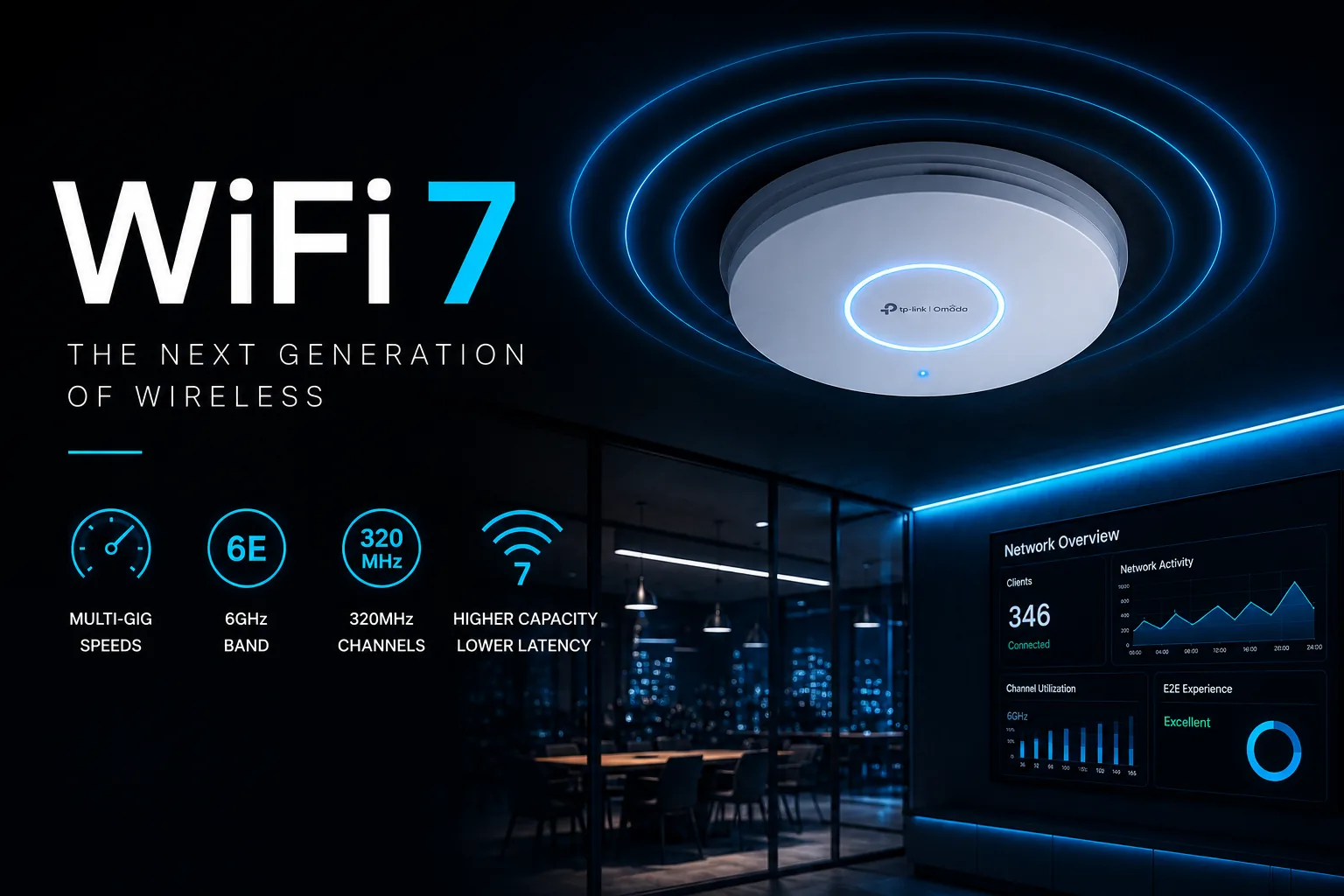
Something like the image above, probably. WiFi 7. The Next Generation of Wireless. Multi-gig speeds, 320MHz channels, "higher capacity, lower latency," a slick dashboard showing 346 happy devices. It's fast, it's shiny, and — credit where it's due — it's genuinely clever kit.
But we install this stuff for a living across Yorkshire and the Lakes, homes and businesses both, and our job is to tell you what actually helps you — not what shifts the most boxes. So here's the honest version, including the bits the glossy graphic quietly leaves out. Starting with the big one: that "320MHz" badge? Your iPhone can't use it. But we'll come to that.
First, what WiFi 7 actually adds
WiFi 6E (the step before) added one genuinely big thing: a whole new radio band, 6GHz — we'll come back to that, because it's the real star. WiFi 7 then adds three things on top:
- Wider channels (320MHz). Think of it as a wider road — more lanes, more traffic at once. Great in theory.
- Denser data packing (4K-QAM). Squeezes about 20% more into each transmission — but only when you're basically in the same room as the router. A wall or two away and it quietly stops helping.
- Multi-Link Operation (MLO). The genuinely new idea: your device talks to two bands at once and shuffles traffic to whichever is cleaner. The payoff isn't a bigger speed-test number — it's steadiness. Fewer dropped video calls, less stutter. That's the real WiFi 7 exclusive, and for some people it's worth having.
Notice a theme? Two of the three only shine up close, and the third is about reliability, not raw speed.
The bit nobody mentions: your phone might not even use it
Here's the one that should give you pause. WiFi 7's flagship feature is those 320MHz channels — and the iPhone 16 Pro Max and iPhone 17 don't support them. Apple caps its own phones at half that. So the most common premium phone in Britain, sat on a shiny new WiFi 7 router, cannot touch the headline feature you paid for.
And those are the phones that support WiFi 7 at all. Right now it's flagship phones and recent laptops — and that's about it. Your smart TV, tablet, games console, video doorbell, smart plugs, the printer nobody's touched since 2021 — overwhelmingly not WiFi 7, and plenty are still plodding along on 2.4GHz. In a typical family home, maybe two devices out of twenty can use any of what you've bought.
Both ends have to support it. A WiFi 7 router talking to a WiFi 6 laptop gives you… WiFi 6.
"But it does 2.4 Gigabits!" — okay, to do what, exactly?
Let's talk about what your gadgets actually need, because this is where the numbers get funny.
A 4K Netflix stream needs about 25 megabits per second. Modern video's got more efficient, not less. Your phone, your tablet, the smart TV — none of them are straining at the leash.
A WiFi 7 link to that telly might negotiate somewhere around 2,900 megabits. It needs 25. You're pouring a swimming pool to fill an egg cup. It's lovely that you can — but "can" and "need" are very different budgets.
And for most homes, the thing actually holding your internet back isn't your WiFi at all — it's the broadband line coming into the house. If you're on a sub-gigabit connection (most of the UK still is), the fastest WiFi in the world can't hand you speed your line hasn't got.
So why does 6GHz genuinely matter? Because it's empty
Right, the good news — and it's real. The 6GHz band is the actual prize here, and here's why: almost nobody's on it yet.
2.4GHz and 5GHz are a warzone. In a block of flats or a terrace, you might have ten-plus neighbouring networks all elbowing each other over the same handful of channels — plus microwaves, baby monitors, Bluetooth, and every bit of old kit in the building. 2.4GHz has three usable channels. Three. For everyone.
6GHz is a fresh, wide-open field. It's locked to new devices only — no legacy junk allowed in — so there's no microwave oven or 15-year-old printer clogging it up. Only about one in seven connections currently even touches it. It is gloriously, verifiably empty.
For a home in a dense area — a terrace, a flat, a converted mill — that clean air is the single biggest improvement available. Not because it's magically faster in a lab, but because nobody else is in there fighting you for it.
For a business in a shared building, a retail parade, an office block, an event space — same story, but it matters even more. 5GHz gets extra squeezed in the UK by radar-avoidance rules (quick fun fact: your WiFi is legally required to duck off certain 5GHz channels within ten seconds if it detects a radar sweep — including military and weather radar. Genuinely. Your router is quietly playing nice with the RAF.) 6GHz sidesteps all of that. In a congested spot, it's not a luxury — it's the only clean airtime going.
The catch — and it cuts both ways
Here's the honest twist. The same thing that makes 6GHz clean is the thing that limits it.
6GHz runs at low power and is locked to the newest devices. That's why it's empty — your neighbour's 6GHz barely leaks into your place, and yours barely leaks into theirs. Lovely. But that same low power is why your signal doesn't quite make it to the back bedroom either. You can't have the clean band without the shorter reach — they're the same fact.
And now add the Yorkshire tax. The lab figures that say "6GHz reaches nearly as far" are measured on modern plasterboard. But the people with the budget for WiFi 7 and the multi-gig setup to justify it? They're often the ones in a gorgeous converted farmhouse or a chunky stone cottage with eighteen-inch walls. Those walls don't care what the lab said. Every signal struggles through two feet of Yorkshire stone — and the higher the frequency, the worse it gets. So 6GHz's already-shorter reach gets properly clobbered.
The result: more access points, spaced closer together, to blanket the place. The dream kit meets the dream house — and the house wins. (Modestly, mind — think "a bit more kit," not "double." Anyone quoting you twice the access points is having a laugh.)
One more honest note: that lovely emptiness is temporary — as everyone upgrades, 6GHz fills up too. The shorter reach, though? That's permanent physics. You keep the limitation and slowly lose the perk.
"The good bit isn't the new bit"
Here's the honest heart of it. That clean 6GHz band — the genuinely useful thing — arrived with WiFi 6E, four years ago. WiFi 7 inherited it. What WiFi 7 itself adds is the 320MHz channels (your iPhone can't use them), the denser packing (same-room only), and MLO (real, but a steadiness perk). All fine. None of it life-changing for a normal home.
So if someone's selling you WiFi 7 on the strength of 6GHz — the clean band — you can get most of that benefit from good WiFi 6E kit, often for less.
And the price? It's moved — just not where you'd think
Here's a plot twist even we didn't expect. WiFi 7 access points aren't really the expensive part anymore. Prices have tumbled — some WiFi 7 gear now costs about the same as, or less than, the WiFi 6 kit it replaces.
The real money in a proper WiFi 7 setup is the stuff behind the access point. To actually feed a WiFi 7 AP, a bog-standard 1-gigabit cable run becomes the bottleneck — so you're looking at faster (2.5-gigabit-plus) network switches, better cabling, sometimes beefier power-over-ethernet, and, as we've covered, possibly more access points for the same coverage. That's where the cost lives. Not the shiny box on the wall; the plumbing behind it.
Which, honestly, is the more useful way to think about it: WiFi 7 isn't an expensive gadget, it's an expensive system.
So — when IS WiFi 7 actually worth it?
Being straight about the sceptical bits means being straight about this too. WiFi 7 genuinely earns its place when:
- You're building or renovating anyway — if cabling's going in regardless, specify WiFi 7. The extra cost is now tiny, and you future-proof for free.
- You're in a congested spot — flats, terraces, shared offices, retail units. Though honestly, that's mostly the 6GHz clean-band win, so good WiFi 6E may get you most of the way.
- You've got a lot of devices at once — hospitality, events, busy offices. Where 40-plus devices share one access point, WiFi 7's extra capacity is real.
- Reliability is the job — back-to-back video calls, live streaming, anything where a half-second stutter costs you. MLO's steadiness is the genuine WiFi 7 exclusive.
- You've got seriously fast broadband — think 1-gigabit-plus. Below that, your line is the ceiling and WiFi 7 changes nothing you'll feel.
And when it's not worth it? A perfectly good WiFi 6 setup, wired properly, in a normal detached or semi, on normal broadband, with a normal mix of devices. Ripping that out for WiFi 7 is money set on fire. Don't let anyone tell you otherwise.
Where UK 6GHz stands — August 2026
The lower part of the 6GHz band has been open for WiFi in the UK since 2020 — indoors, licence-free, and it's exactly what your WiFi 6E or WiFi 7 kit uses today. Outdoors it's allowed too, but only at very low power (fine for a headset, not for covering a car park). Higher-power outdoor 6GHz is coming, via a system that checks you won't tread on the licensed users already in the band (mostly microwave links and satellite uplinks) — Ofcom opens the door to that from September 2026, with rules following in the autumn, though in practice it won't be usable until 2027-ish. Ofcom also confirmed in July 2026 that a further chunk of spectrum is being opened for WiFi, making the UK the first country in Europe to open the whole band — though existing kit may need newer internals to use it. None of this changes what you'd buy today. (Correct as at August 2026 — this area's moving fast.)
The bottom line
WiFi 7 is genuinely good tech. But it's a system upgrade, not a magic sticker — and the headline features are either same-room-only, phone-dependent, or borrowed from WiFi 6E. The real-world win for most people is the clean 6GHz band, and you can get a lot of that from 6E.
If your WiFi works, is wired sensibly, and covers the house — you probably don't need it yet. If you're building, congested, device-heavy, or chasing rock-solid reliability — it might be exactly right.
The honest answer is: it depends on your house, your kit, and what's actually wrong right now — and that's a five-minute conversation, not a shopping spree.
Not sure which camp you're in? That's literally our job. Book a consultation and we'll tell you straight — whether that's WiFi 7, WiFi 6E, or just fixing what you've already got. No upselling, no jargon, no pouring swimming pools into egg cups.